
Lesson 5 of 6
Using Vactrols
Identify and wire up a Vactrol, a voltage-controlled resistor, and shape its response.
The reason we learned about LEDs is Vactrols. A Vactrol is our shortcut to controlling anything with voltages. You can make VCAs, VCFs and modulate almost anything with Vactrols.
It's basically a magical device where you can change a resistor's ohm value by sending it a voltage. It's slow and not accurate, but that's perfect for audio.
💡 Fun fact: A Vactrol is made by combining an LED and an LDR (light-dependent resistor) inside a dark case. You can also DIY it.
Identifying a Vactrol
This is what a Vactrol looks like:
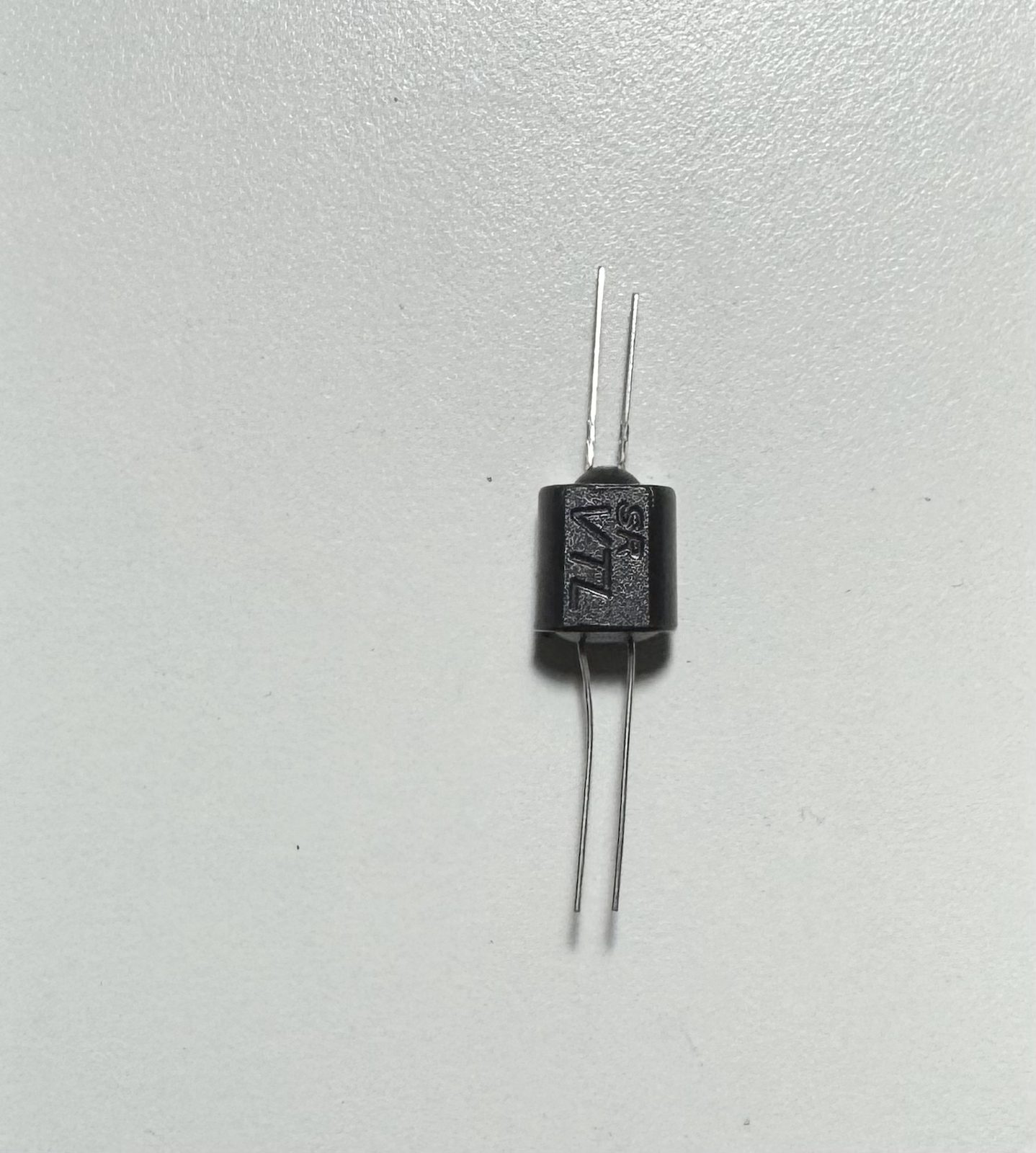
- It has two sides.
- The side with longer and shorter pins is the LED part of the Vactrol.
- The other side is the resistor part, which has no polarity.
- The longer pin of the LED side is the "+" pin (just like an LED).
Using a Vactrol
Here's how to wire up a Vactrol:
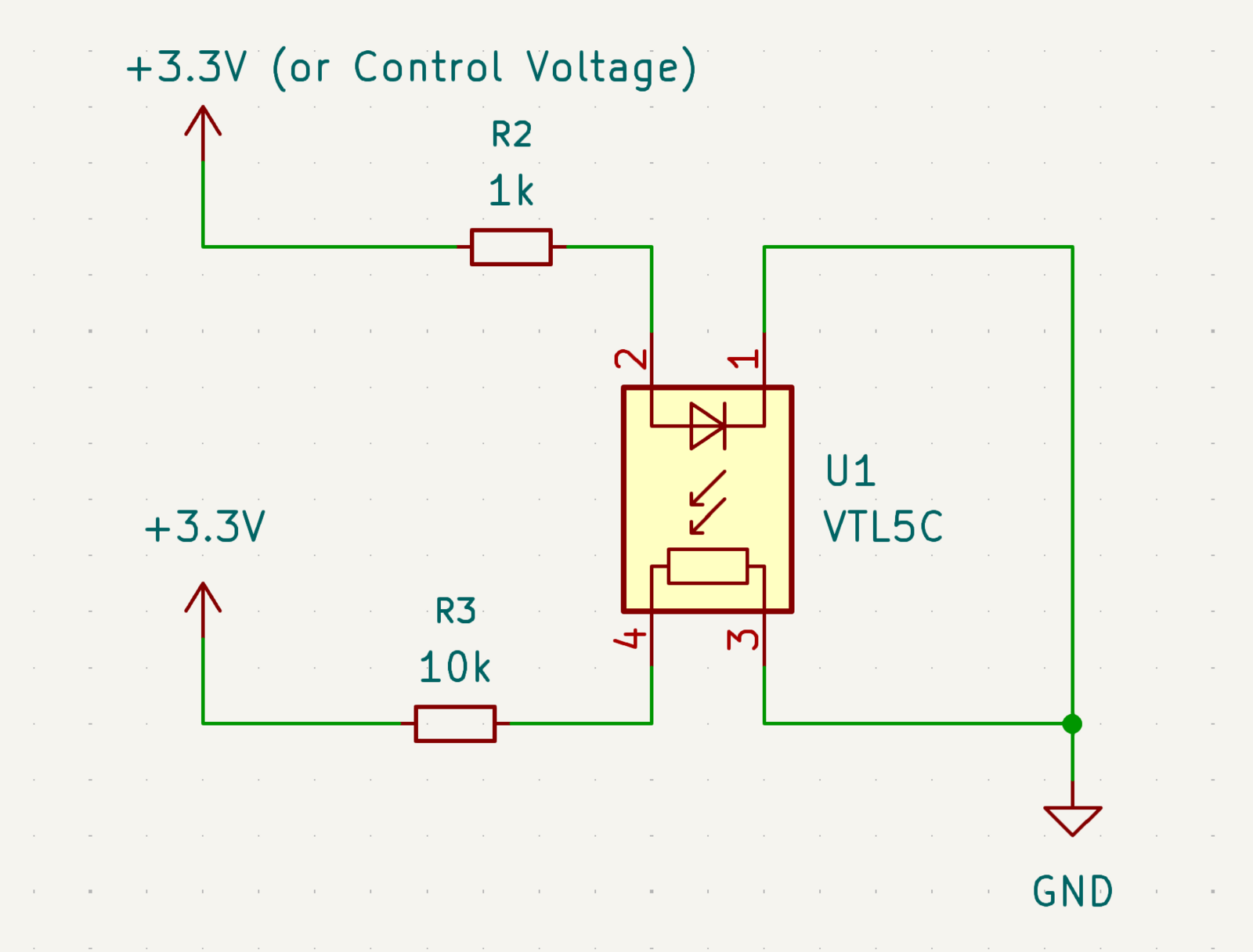
- First, we connect the LED side with the R2 resistor.
- We wire up the resistor side as a simple voltage divider with the 10k resistor.
- But you can use the resistor side as just another resistor.
Here's how we wired it up on the breadboard:
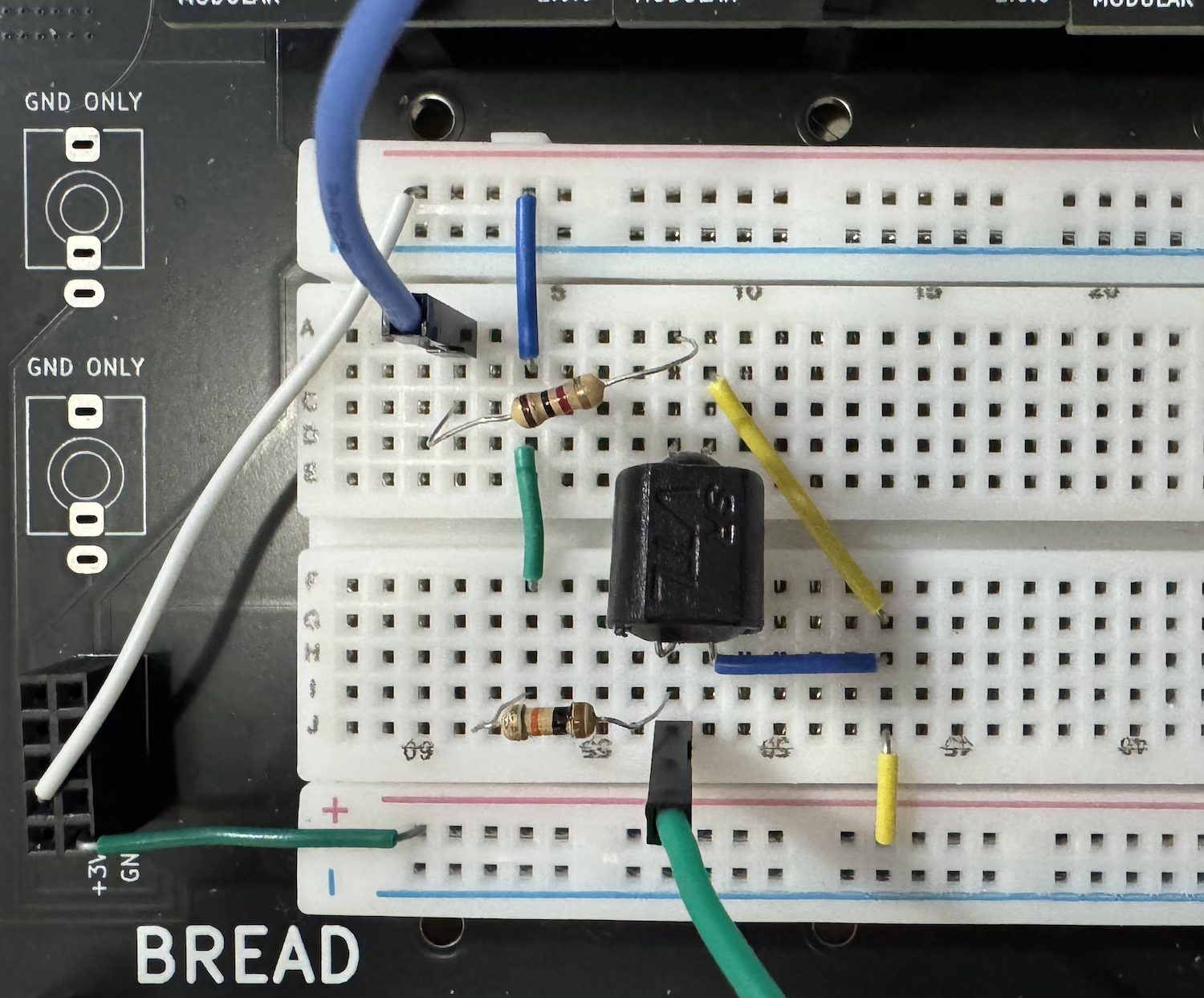
- Here we feed a pulse into the LED side via the 1k resistor (top side).
- The 10k resistor on the bottom side is connected directly to 3.3V.
- The resistor side of the Vactrol and the 10k resistor make a simple voltage divider.
- The green pin is our oscilloscope probe, so we can see the voltage across the Vactrol.
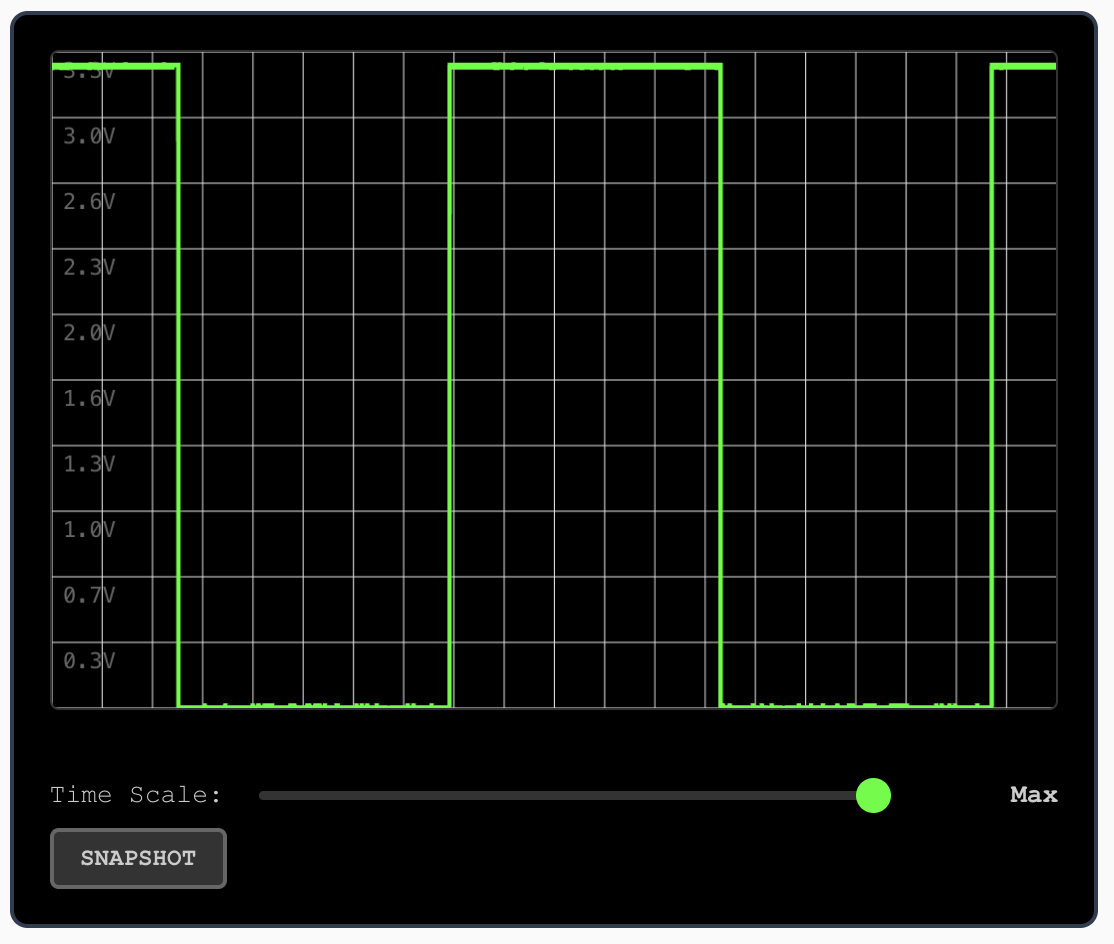
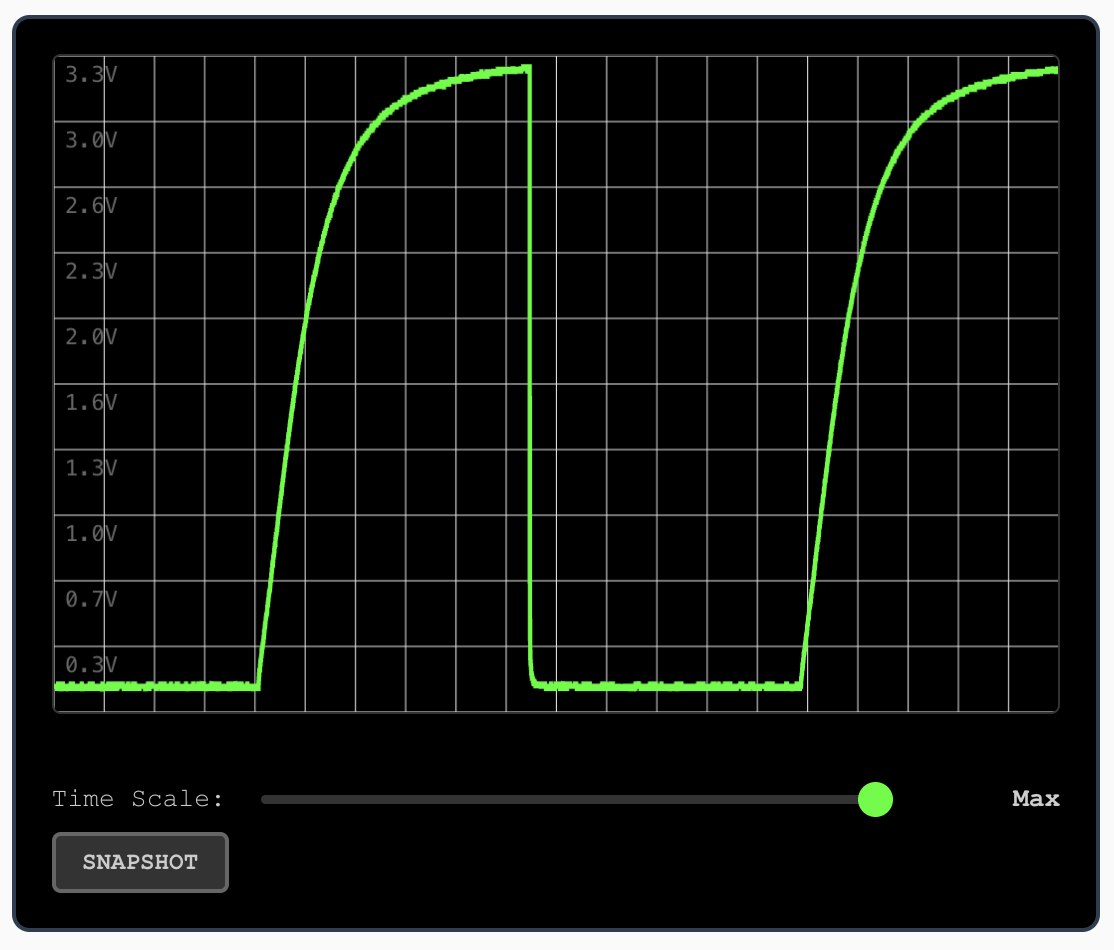
If this were a typical voltage divider, both charts would have the same shape. But Vactrols are slow to react, which is why you get a smooth curve like this.
🛠 As an experiment, try replacing the 1k (R2) resistor with a 100k resistor. Check the voltage across the Vactrol.
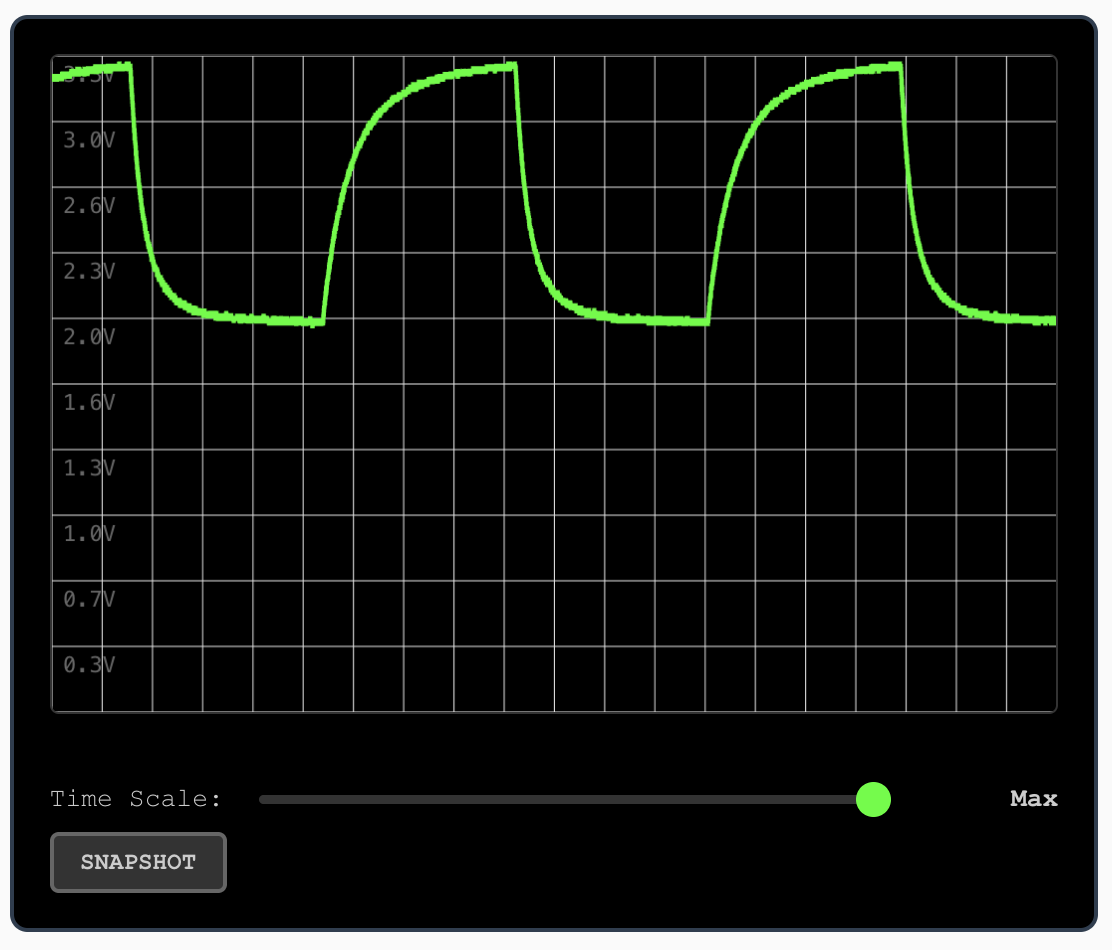
In this case, as we increase the LED-side resistance, the range of the Vactrol's resistance goes down. It's also a bit slower to react.
💡 This is a useful feature when we build real circuits with Vactrols, as we use this trick to control the CV activation curve. We can tune it manually (by listening to the sound) for each use case.