
Lesson 1 of 6
Getting to Know the Lab Kit
Get some audio out, use the built-in oscilloscope, make an LFO and learn how the breadboard works.
To jump-start the process, we are going to use the Bread Modular Lab Kit. It's the same tool we use to make new designs at Bread Modular. With it, you can focus solely on the electronic circuit (or module) you are building.
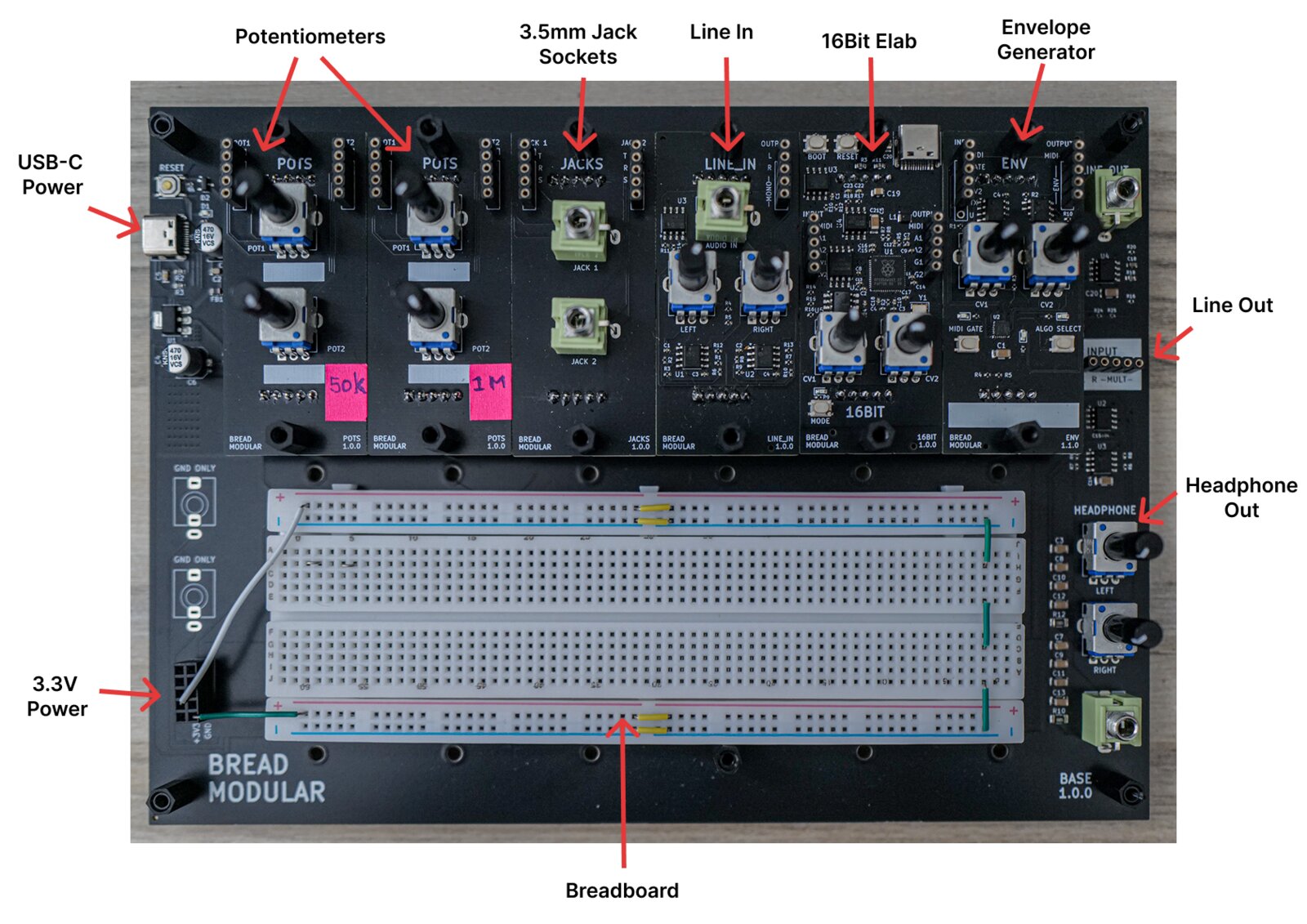
Use the following experiments to get an idea of the tool.
👉 Make sure to connect a USB-C power cable to the USB-C power port on the top left. Try to connect it to a power bank or directly to a USB-C power adapter or socket. When connected to a PC/laptop, it might introduce unwanted noise.
1. Audio Out
Here we simply check whether we can get some audio out of the kit. To do that, connect the following:
- 16bit output pin A1 → Line Out "Input L"
Now connect your headphones to the headphone jack and increase the volume for both ears using the two potentiometers.
You will hear a sawtooth sound.
You can change the frequency by turning the first potentiometer (CV1) of the 16bit.
💡 Instead of the A1 output pin, use the A2 pin. Then you will hear a super-saw oscillator sound. It's a mix of two octaves of the same note.
2. Use the Oscilloscope
The 16bit has a basic oscilloscope which can be accessed using a web UI. Here's how to do it:
- Connect the 16bit to your computer using a USB-C cable
- Visit the 16bit UI
- Click the connect button & select 16bit from the list of devices
- Click the "Start Capturing" button
- Now connect 16bit input A1 → 16bit output A2
Then you will be able to inspect the super-saw waveform on the screen.
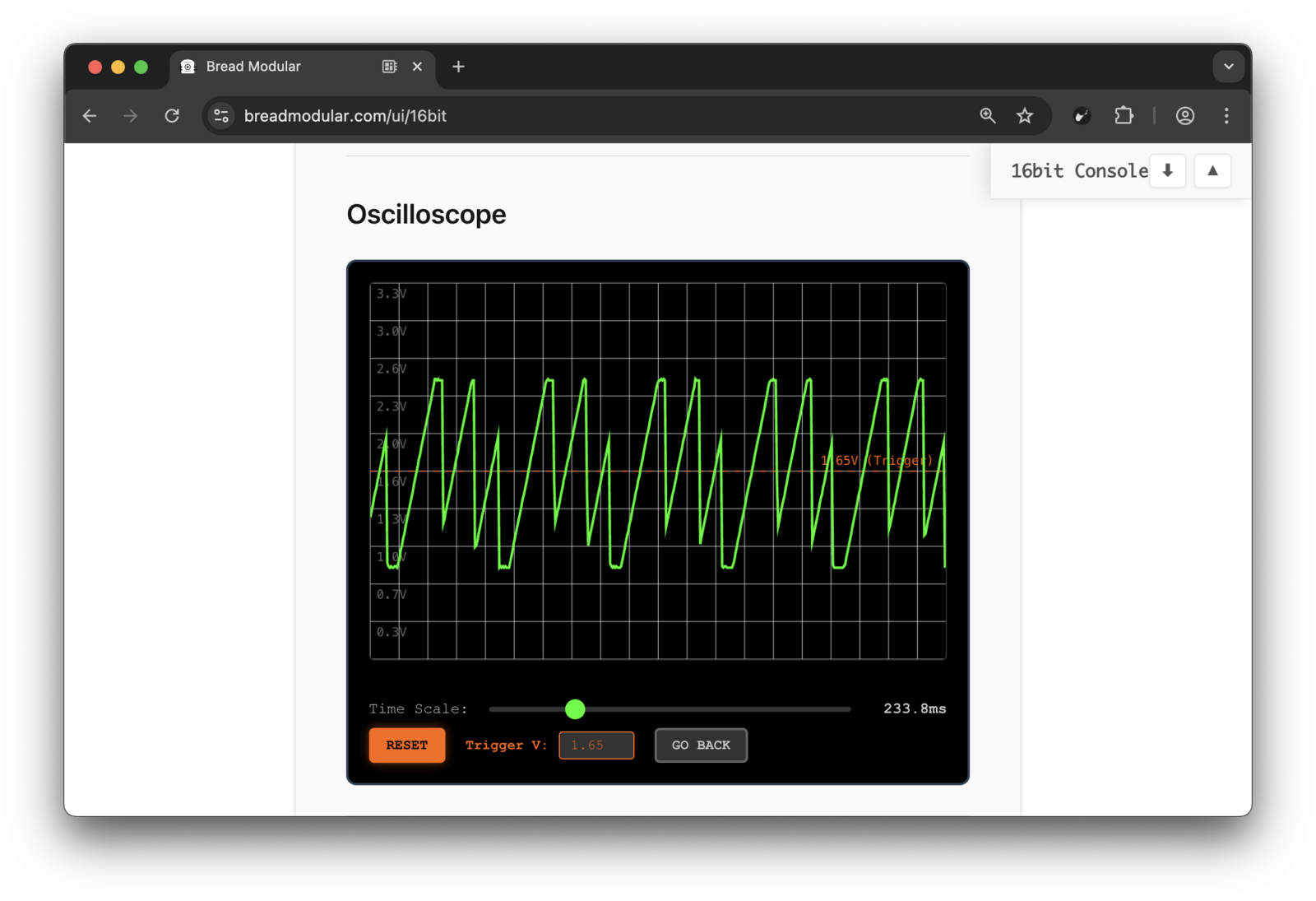
💡 Now connect the 16bit input A1 pin to any voltage source and you can inspect it with this oscilloscope.
3. LFO (Low Frequency Oscillator)
An LFO is useful to drive a VCA. We don't have a built-in LFO, but using the 16bit's pulse generator and the envelope generator, we can make an LFO very easily.
Inspecting the Pulse Generator
- Connect 16bit Input A1 → 16bit Output G1
- Now look at the oscilloscope and control the pulse frequency via the second potentiometer (CV2) of the 16bit
💡 The 16bit also has a button trigger via G2. It triggers when you press the MODE button of the 16bit.
Pulse Generator to Envelope Generator
- Connect 16bit Output G1 → Env Gate
- Make sure the MIDI GATE light is turned off (if not, press the MIDI GATE button for half a second)
- Use the first potentiometer (CV1) of Env to control the attack
- Use the second potentiometer (CV2) to control the decay
- There are multiple envelope algorithms & you can change them by pressing the ALGO CHANGE button for half a second
4. Using the Breadboard
The breadboard is where we connect our components. Think of it as a grid of wires. Here's how the breadboard looks:
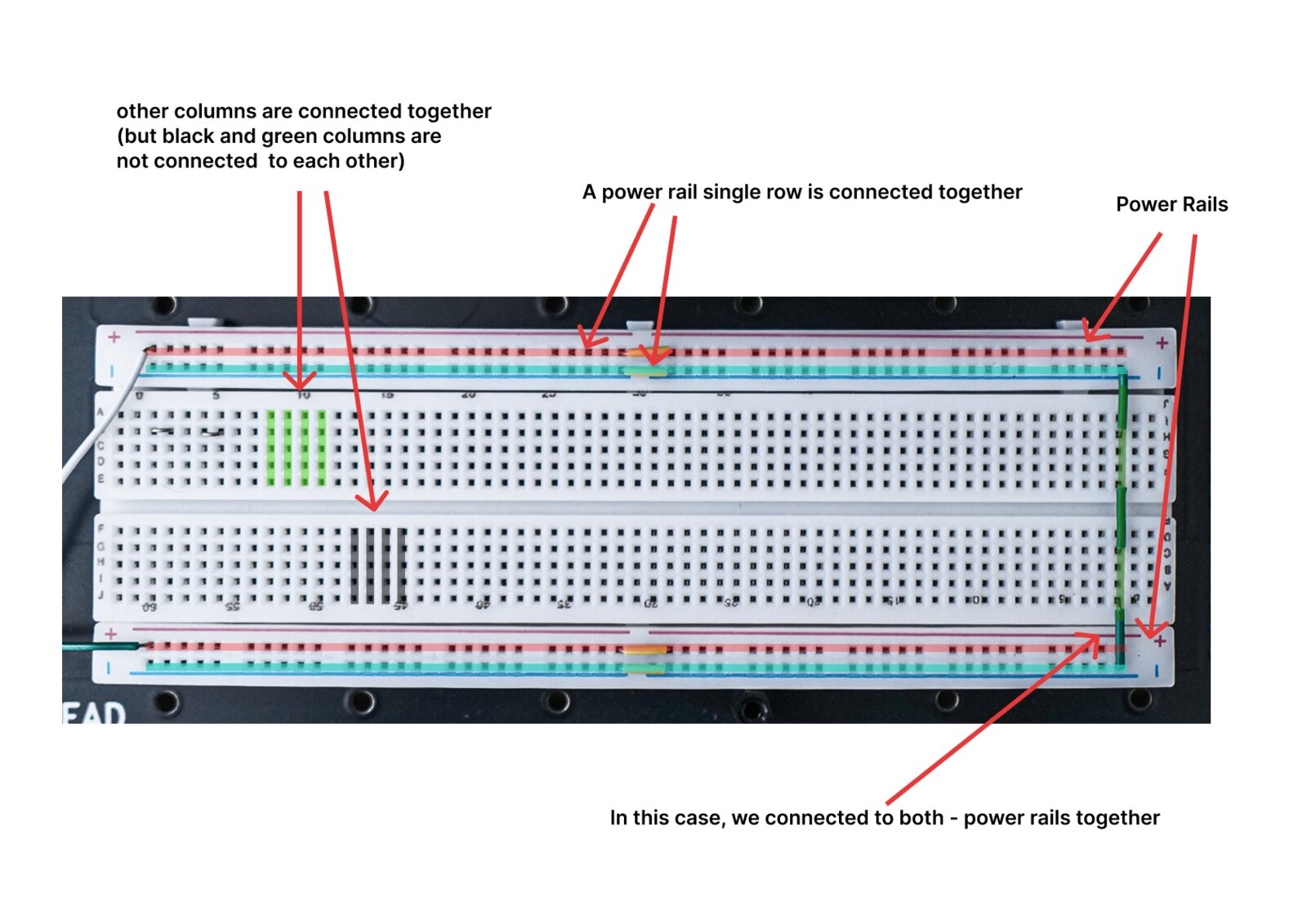
- Using the oscilloscope, try to inspect the voltage at various points of the power rails.
- You can use a column (as shown in green or black) as a mult (to turn a single output into multiple outputs).
- What if we need to send the A2 output to the line out and the oscilloscope at the same time? This is how we do it:
- Send the 16bit A2 output to one of the breadboard columns.
- Now you have 5 more outputs (a column has 6 points).
- Use one of them to send it to the line out.
- Use another to send it to the oscilloscope.
- What if we need to send the A2 output to the line out and the oscilloscope at the same time? This is how we do it: